
Integrating Heroic Games with Home Assistant
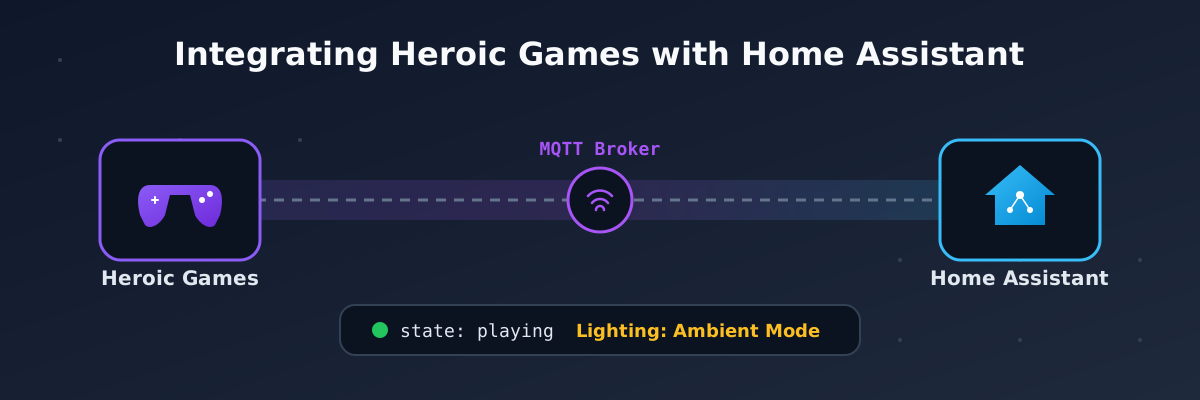
Heroic Games is an amazing launcher that I use for games bought from stores like GOG so I can play them on my Debian desktop without any vendor-specific launcher. It works great and has interesting features like executing scripts when you are about to start a game.
As a self-hosted enthusiast and Home Assistant user, this gave me the idea to create an integration for Home Assistant so my automations can take advantage of this information.
So there were 2 clear objectives:
- I wanted my office ambient lighting to automatically switch to a more relaxed setting whenever I launch a game in Heroic.
- A notification when I spend too much time playing a game, reminding me to take a break (yes, I often lose track of time when gaming).
I was also testing the OpenCode Go subscription, so I decided to give it a try. Mostly, I notice that LLMs love to write Python code, but for the sake of this small script I instructed the model to avoid Python and create a small script in Bash, keeping external dependencies minimal when executed by Heroic.
A key dependency for the project is MQTT, which allows me to send messages to a Mosquitto broker hosted in Home Assistant. Upon receiving a message, Home Assistant updates the corresponding sensor entities.
While MQTT adds a requirement, keeping it to a single dependency won’t add too much complexity if all you want to do is let Home Assistant know that you are playing a game.
All instructions for installing, configuring, and using the script are available in the GitHub repository that I am planning to maintain if there is interest. So far, it is serving me well.
After setting this up, I created a simple automation that sends a Telegram notification when I have been playing for 30 minutes:
alias: Notifica Juego de Heroic Games
description: ''
triggers:
  - trigger: state
    entity_id:
      - binary_sensor.heroic_games_launcher_heroic_playing
    to:
      - 'on'
    for:
      hours: 0
      minutes: 30
      seconds: 0
conditions: []
actions:
  - action: notify.telegram_jono
    metadata: {}
    data:
      message: >-
        🎮 Llevas 30 minutos jugando
         en
        Heroic Games
mode: single
Future Work
- If Home Assistant is able to create a
media_playerfrom MQTT, I will definitely update this so instead of just showing a sensor with the current game, it will show the poster of the game on themedia_player. - For some reason, the script has to be set up per game in Heroic. I think there is an issue with Heroic as far as I could research. Since I play one game at a time this is not inconvenient for me, but I will try to test this further or submit a bug report when time permits.
Disclosure: AI was used to improve readability and clarity; the whole process was tested and created by me.